It has been a surprisingly long time since I have written about anything Qlik. Anywhoo, with Qlikcloud I was looking for a solution to timezones. As far as I can tell, there isn’t an easy button for timezone conversion. In a perfect world qlik would detect the timezone and use that for its charts (maybe, timezones are tricky)
This is the process I came up with. Use the API to dump the preferredZoneinfo https://qlik.dev/apis/rest/users/
Your user must set this in the Qlikcloud user settings. Dump this into a QVD
Using this inline table to demonstrate

We can then have a data table that uses ConvertToLocalTime and the TimezoneName
=ConvertToLocalTime(YOUR_DATE, TimezoneName)
Then the tricky part is the bookmark to auto apply the time zone, parsing out the OSUser
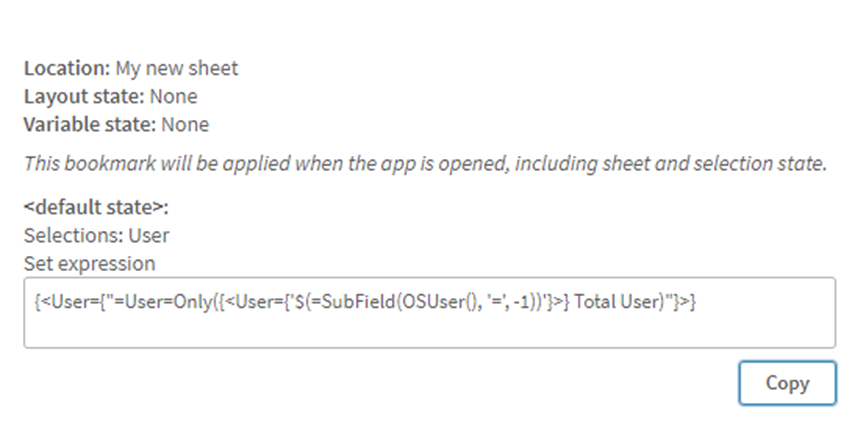
{<User={“=User=Only({<User={‘$(=SubField(OSUser(), ‘=’, -1))’}>} Total User)”}>}
There is probably a better way (let me know if you know it), but this way does work.
And there you have it, auto apply a timezone based on the signed in user.
 Michael Ellerbeck