After playing with Tulip and Matroid and getting it to detect cats I wanted to up my game to Lego’s. Specifically, a build step of this cool little boom lift I had designed for me on Fiverr.

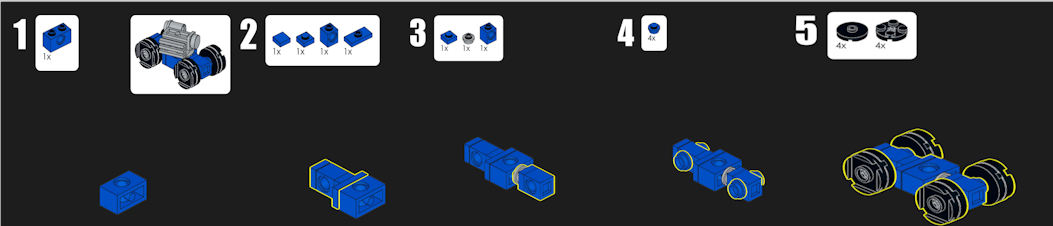
Matroid is a no code computer vision platform. I think my initial attempts were a bit amusing to the Matroid engineers, but they were able to guide me to a working model in the end. My first attempt I tried to utilize ‘synthetic data’ (Cause I mean that’s really cool right!) Since I was dealing with Legos, and I had the io file for use with LEGO BrickLink Studio. Go check out BrickLink studio its really cool, I’ll wait. Since it can render models from different angles I figured it would be perfect. I still would like to experiment with this approach. Theoretically you could render out and train learning models that could follow along as you build any model, especially useful if the render would auto bounding box things (since it would know the boundaries of the objects). But, I didn’t have great results. Some of my other initial runs ran into problems because I wasn’t disciplined enough with lighting or resolution. Once I standardized on lighting, angle and distance. And I got a few pointers on what to annotate (I did teach one of my kids how to draw bounding boxes, future nerd maybe….) I was able to get it to work.
I took a number of training images. The first set I annotated with center_aligned, and then the four wheels.
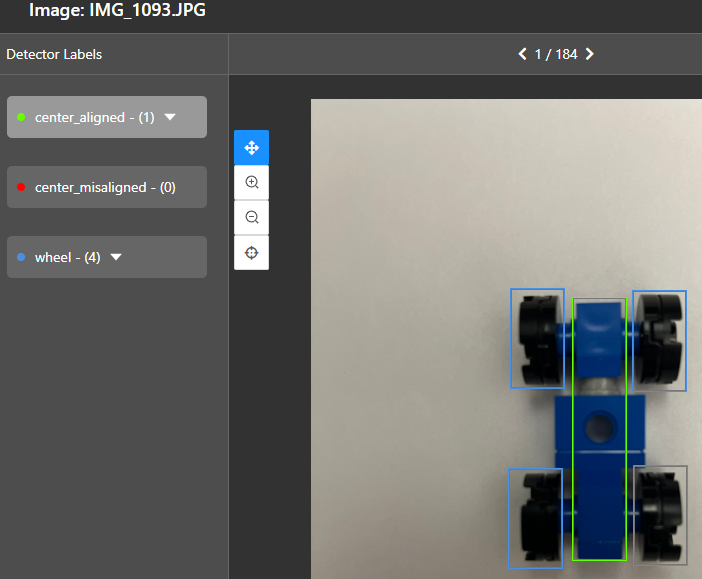
I have a hundred or so of these centered_aligned images from slightly varying angles and distances.
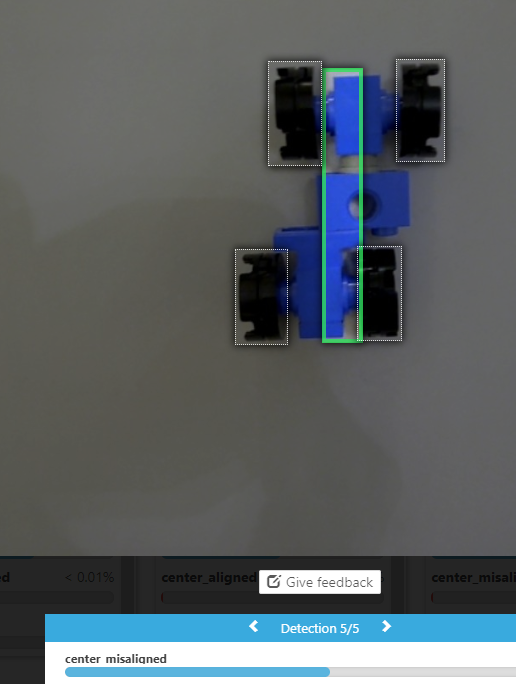
Next, I wanted to create variations of misaligned configurations, to train the model on what that looks like. So yes, more annotation

Finally, you press the button and have your model begin training.
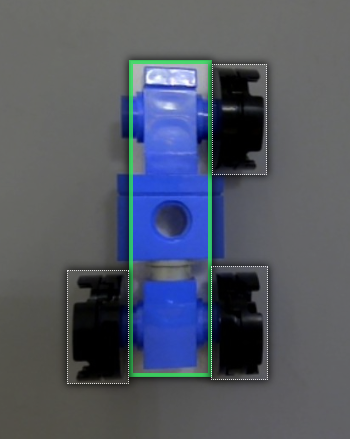
Once the model is trained, here comes the fun part! Testing it against new images and seeing how it performs!
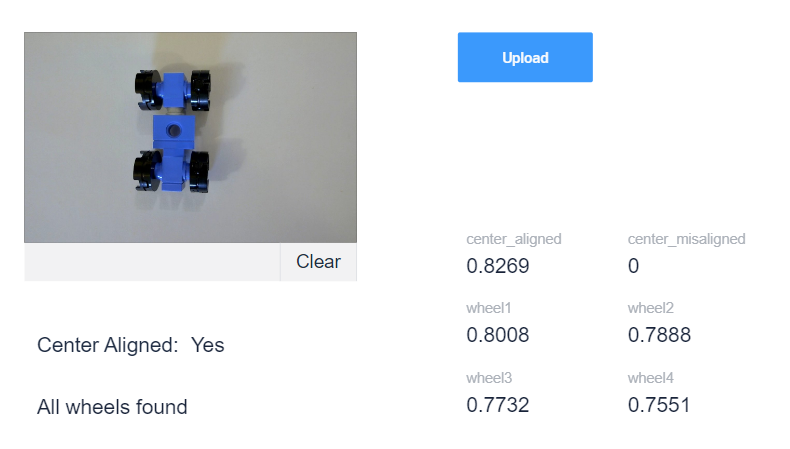
I wanted to see it correctly detect the wheels, and the center alignment.
And when the center is misaligned
With the model created I can then make a Tulip app to use it.
Similar to what I did with the Cat Detection let’s setup a connector


For security, we will choose a bearer token
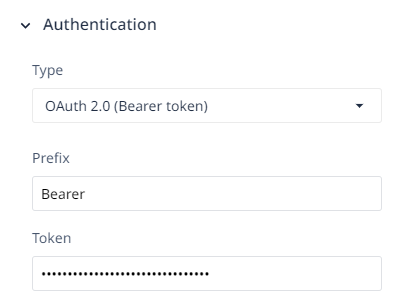
The simplest API call to get our results is the
Classify an image from URL
curl https://app.matroid.com/api/v1/detectors/**GUID**/classify_image \ -H Authorization:"Bearer **TOKEN**" \ -d "url=https://www.matroid.com/images/logo2.png"
Let’s create the connector function
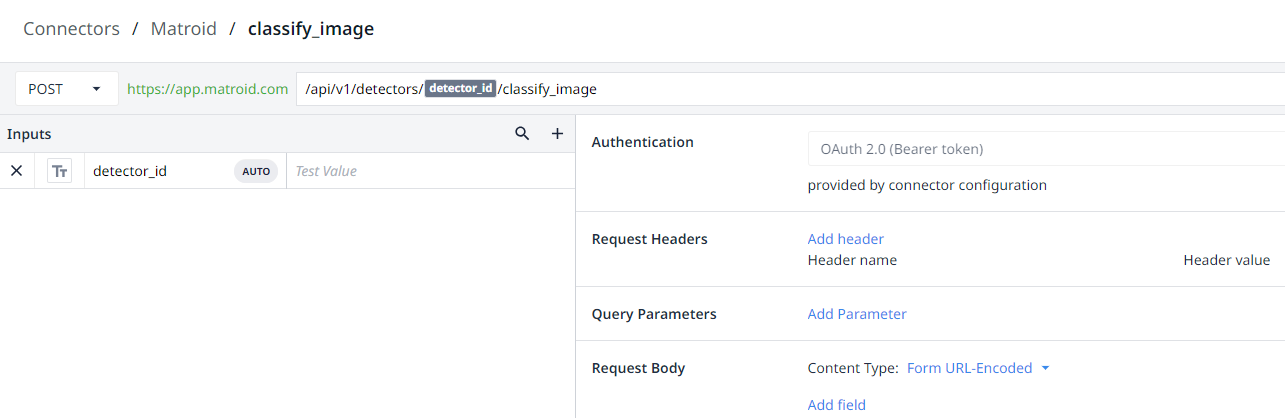
Use the dollar sign syntax to wrap the variable $detector_id$ and set the Request Body to Form URL-Encoded. Then as I learned for the cat detection
You can change the image input type to ‘File’ and then to make it work for Matroid you have to name it file. Then you add it as a ‘File’
Next, I take a picture in a tulip app and copy out the S3 Url so I can paste it into the file to test the function.


For a demo this should be sufficient. To have more control I would do some post processing work. (For full functionality will need to do this, the predictions are returned non ordered)
Now lets make a simple app that we can take a picture and get back our classification results
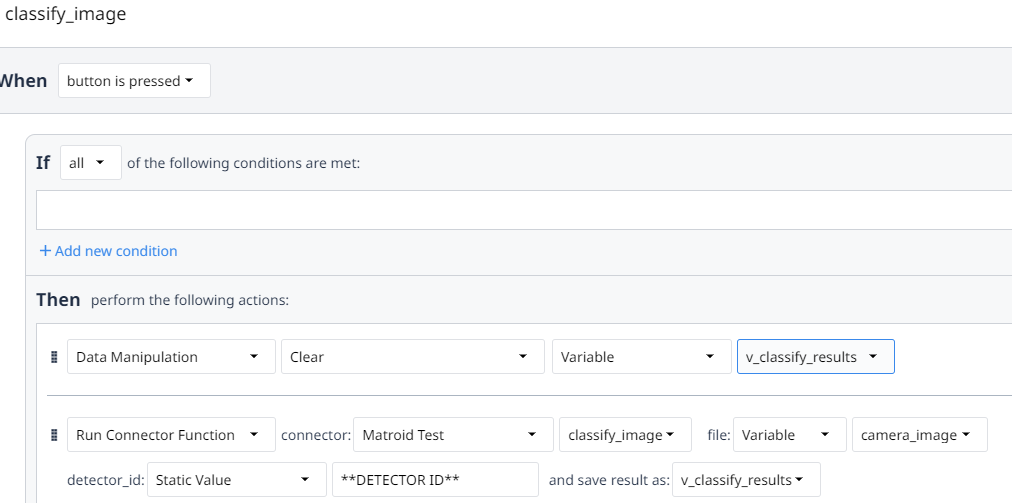
I created a quick app that exposes the classification
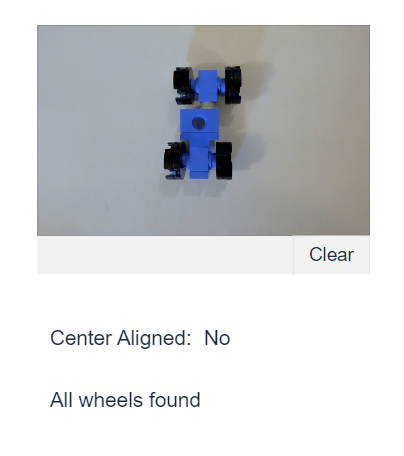
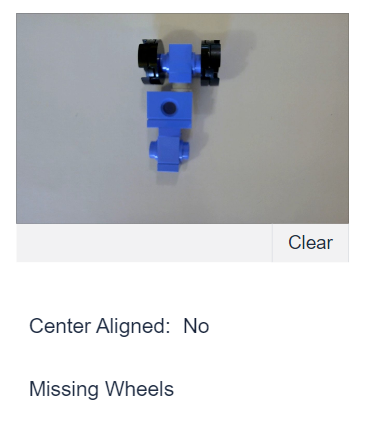
 Michael Ellerbeck