Say you had a database that contains mixed media attachments and you wanted to get that into the ontology.
I learned a bunch of ancillary things through this process so I’ll call some of those out as well.* Take my musings with a grain of salt. So let’s fire up your python repo. For dealing with media sets you need to add a dependency to transforms-media (See docs, https://www.palantir.com/docs/foundry/transforms-python/media-sets )
And add the library

Media sets are interesting, they only support one ‘type’ of thing. One nice feature though is the ability to auto convert. When you create a media set, you can choose a Primary Media Format and then additional formats that are auto converted during upload. Also, for incremental support we want to choose Transactional write mode. I choose PDF with the idea that it will be easier to do extracts of things if needed later.

So, first step is to load our database records into a dataset (Blobs and all), if your data has a monotonically increasing column (in this case the attachment_id) then you can enable an incremental reload.

Ok, let’s bring that data in and convert it.
@incremental(v2_semantics=True)
@transform(
    attachments=Input("ri.foundry.main.dataset.[unique-id-1]"),
    metadata_out=Output(
        "/[Company Name]/[Department Name]/Attachments/[Project_Name]"
    ),
    output_files=MediaSetOutput(
        "ri.mio.main.media-set.[unique-id-2]"
    ),
)
Here’s where I fought things for a while. Originally, enabling @incremental was not compatible with mediasets. One work around from DevSide 6 – Incremental Transforms with Media Sets CodeStrap (I just started following this guy, its great stuff!)
But after googling around a bit, I did finally hit on this forum post. Long and the short “We have been using v2_semantics and haven’t had issues“
It is sorta of mentioned here as well https://www.palantir.com/docs/foundry/transforms-python/incremental-reference
That being said, another thing of note is that I tried to read and write from the same file. This is a no no, luckily the linter will catch it. https://www.palantir.com/docs/foundry/building-pipelines/development-best-practices/

I thought that I could load in say 10 records, do some stuff and then append to the file I loaded. But no, that’s not how they are intended to be used.
So my incoming attachments dataset has some “application/octet-stream” outlook .msg attachments. I fixed this by installing the
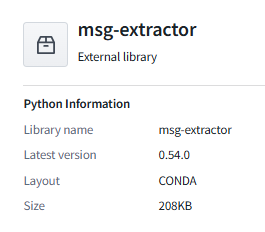
And converted the email attachment into .txt
Finally, upload to the media set
# Upload to media set
response = media_set_output.put_media_item(upload_data, upload_filename)
item_rid = response.media_item_rid
I figured once I had the rid that I would be set, but alas, to create a proper ontology object what you really need is a media reference.
There is a function that can return these for a media set
images.list_media_items_by_path_with_media_reference(ctx)But, it looks like I would have to use it in a different transform. (I think it would be useful if the put_media_item would return the media reference as well?)
If you want a hacky way of displaying the media item in your data set you can just generate a media reference using the default view rid.
# Placeholder for media set view RID
    default_media_set_view_rid = "ri.mio.main.view.default"

# Construct media reference
            media_reference_dict = {
                "mimeType": mime_type,
                "reference": {
                    "type": "mediaSetViewItem",
                    "mediaSetViewItem": {
                        "mediaSetRid": media_set_rid,
                        "mediaSetViewRid": default_media_set_view_rid,
                        "mediaItemRid": item_rid,
                    },
                },
            }
Then set the typeclass of the mediaReference column, to allow the column to be read as a media reference.
column_typeclasses = {
    "mediaReference": [{"kind": "reference", "name": "media_reference"}]
}

# Write to output dataset
logger.info("Writing dataset to metadata_out")
metadata_out.write_dataframe(result_df, column_typeclasses=column_typeclasses)
Looks this on the Columns tab of the dataset preview screen.

Since we need a valid media reference what is a person to do. Probably a few different ways, but I figured we could use a pipeline to grab the rid and media reference from the media set and join on the rid before creating the ontology object.
Use the convert media set to table rows.

Then join

After you create the ontology object, you need to go flip it from a string to a media reference

If you have additional media references (in this pipeline there is a documents mediaset and video media set) you can add them from the Capabilities tab.
And there you go
 Michael Ellerbeck